“ ”
iOS 7 Beta 5
iOS 7 Beta 4 Many users are searching for a iOS 7 Beta 4 Download inks for install this new Beta 4 on iPhone 5/4S/4/, iPad 4/3/2
iOS 7 Beta 5
2013
iOS 7 Beta 4 Many users are searching for a iOS 7 Beta 4 Download inks for install this new Beta 4 on iPhone 5/4S/4/, iPad 4/3/2
iOS 7 Beta 4 Many users are searching for a iOS 7 Beta 4 Download inks for install this new Beta 4 on
How To Install iOS 7 Beta 4 Without Download Links. iOS 7 Beta 4 Many users are searching for a iOS 7 Beta
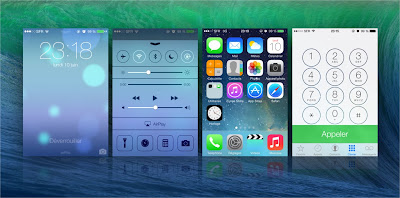
Many users are searching
for a iOS 7 Beta 4 Download inks for install this new Beta 4 on iPhone 5/4S/4/, iPad 4/3/2 or iPod Touch 5 Generation. But … Apple hacked. Can I install iOS 7 Beta 4 without download links? Yes. You can.
We are confident that in the near future, this method will work and we will be able to upgrade their devices.
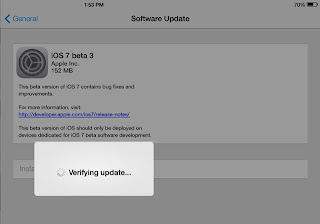
1) Select your device and click “Settings”
2) Click “General”
3) Click “Software Update”
4) Download new iOS 7
P.S. This method will be work only on idevices with iOS 7 Beta 1, 2, or 3.
0 Comments
Share your thoughts with other AppleBlog readers.