Skip to content
Apple Blog
macOS

MacOS Sierra Review, Release Date.

Published by AppleBloggerUX in macOS

macOS

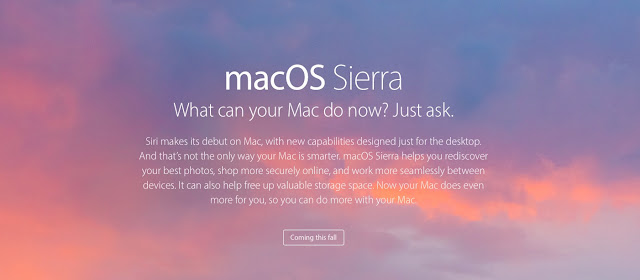
MacOS Sierra Release Date, Review. Apple announced the next version of the operating system macOS. Thirteenth major upgrade of the desktop platform for the Mac was officially presented

macOS 2016
Key details

MacOS Sierra Release Date, Review. Apple announced the next version of the operating system macOS. Thirteenth major upgrade of the desktop platform for the

Apple Blog 2016

About this post

MacOS Sierra Review, Release Date.. MacOS Sierra Release Date, Review. Apple announced the next version of the operating system macOS. Thirteenth major upgrade of

Apple Blog 2016

MacOS Sierra Review, Release Date.

“MacOS Sierra Release Date, Review. Apple announced the next version of the operating system macOS. Thirteenth major upgrade of the desktop platform for the Mac was officially presented at an”

macOS Developer Preview will be available for developers and ordinary users today. The final version of the system will be released in autumn this year and will be distributed by the store Mac App Store. Download macOS Sierra will be free to all users of the Mac.

Don’t forget read: macOS Sierra supported macs list

The new version of the desktop OS upgrade is not brought to the outside of the operating system type and limited improvements in the functional level. Apple told the Seven important new features. The main changes with which the company began the story of the MacOS – automatic unlocking. Now the Mac is automatically authorization if the user has on the Apple Watch his hand.

>> macOS Sierra download links (inlc. torrent)

In macOS Sierra appeared Siri support. On a Mac, an assistant appeared on the menu bar next to the Spotlight search buttons and Notification Center. To activate the voice control feature, Mac owner will need to click on the Siri icon. This action will open the dark panel with the image of the sound waves, and Siri will utter the phrase, “How can I help?” And start waiting for commands. In addition, users will be able to press a combination of keys on the keyboard for quick access to the assistant. If your MacBook is connected to the power supply, to the assistant you can appeal the phrase “Hey, Siri».

Share this post

Send this article to other Apple fans.

Previous Post

MacOS Sierra Supported Macs + Compatible Mac List.

Next Post

Apple MacOS Sierra Download Release Date, Review.