What Is The Latest Version Of macOS?
Last Update: macOS Sonoma / macOS 14.3 (January 22, 2024)
What is the latest Beta version of macOS?
Last Update: macOS Sonoma / macOS 14.4 beta (January 29, 2024).

How to check if you have the latest version installed?
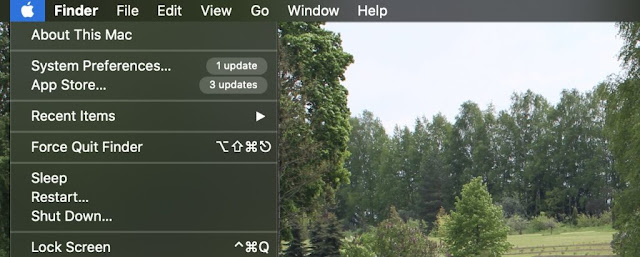
To find out which version of macOS your computer is using, click on the Apple icon in the upper-left corner of the screen and select the “About this Mac” option.
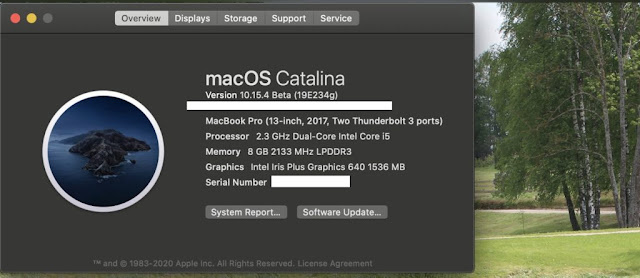
A window opens where you will see the name and version number of the operating system installed on this computer in the “Overview” tab. Each version has several small updates, which are indicated by numbers (in this case, “.4”). These updates contain security patches and other fixes. They appear regularly in the Mac App Store.
With the release of new macOS Catalina, Apple will stop supporting 32-bit applications and will only release 64-bit ones. In General, this is for the best, because applications will run faster and access more memory.
The transition to 64-bit applications for mac OS only has been under development for years, and Apple has been helping developers convert their 32-bit applications to 64-bit ones. Starting in 2018, the company began requiring all apps in the App Store to be 64-bit.
If you only use apps from the App Store, you won’t have any problems with macOS Catalina either. However, if the mac OS program folder contains 32-bit applications, you will have to look for a replacement.



0 Comments
Share your thoughts with other AppleBlog readers.