It’s very simple way for install 3D Touch Gestures:
1) Jailbreak your device. [LINK]
2) Install Cydia iOS 9 via jailbreak tools Pangu9
3) Install “Activator” from Cydia repo: http://rpetri.ch/repo/
4) Done….
Activator allows you to use the buttons iPhone and iPad, as well as all sorts of gestures and commands (triple-click or hold the button Home, gesture swipe from the corner of the screen, a short tap on the system prompt, and many others) to perform a variety of actions on the device, from the start applications or extensions, finishing lock screen, reboot the device.
Activator almost limitless possibilities.
Activator 1.9.6 has received a number of significant improvements aimed at increasing the speed and stability. Fixed errors in the action button Home: long hold and double click.
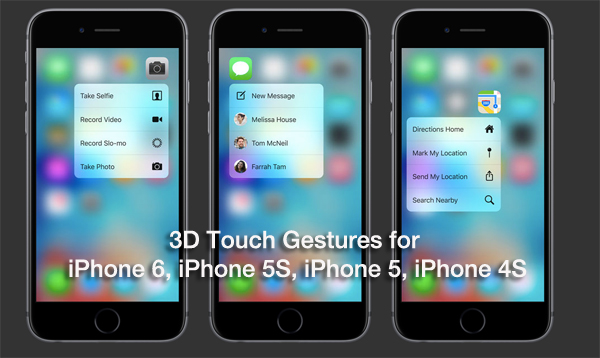
The new release also adds 3D Touch gestures for devices without the support of this function.
Users of the iPhone 5 and iPhone 6 may add actions for long retention icons instead to cause displacement mode icon, the device activates one of Team 3D Touch.
For example, prolonged retention of App Store, you can move quickly to the section “Search” icon and phone – to the favorites.
0 Comments
Share your thoughts with other AppleBlog readers.