Skip to content
AppleBlog
Jailbreak iOS 8.1

Jailbreak iOS 8.1 Mac + Complete Guide.

Published by AppleBloggerUX in Jailbreak iOS 8.1

Jailbreak iOS 8.1

Jailbreak iOS 8.1 Mac Version available for download / install. Confirmed devices: iPhone 6 Plus, iPhone 6, iPhone 5S, iPhone 5, iPhone 4S / iPad Air 2, iPad

Jailbreak iOS 8.1 2014

Key details

Jailbreak iOS 8.1 Mac Version available for download / install. Confirmed devices: iPhone 6 Plus, iPhone 6, iPhone 5S, iPhone 5, iPhone 4S /

Apple Blog 2014

About this post

Jailbreak iOS 8.1 Mac + Complete Guide.. Jailbreak iOS 8.1 Mac Version available for download / install. Confirmed devices: iPhone 6 Plus, iPhone 6,

Apple Blog 2014

Jailbreak iOS 8.1 Mac + Complete Guide.

“If you want jailbreak iOS 8.1 for free, you must read this simple guide:”

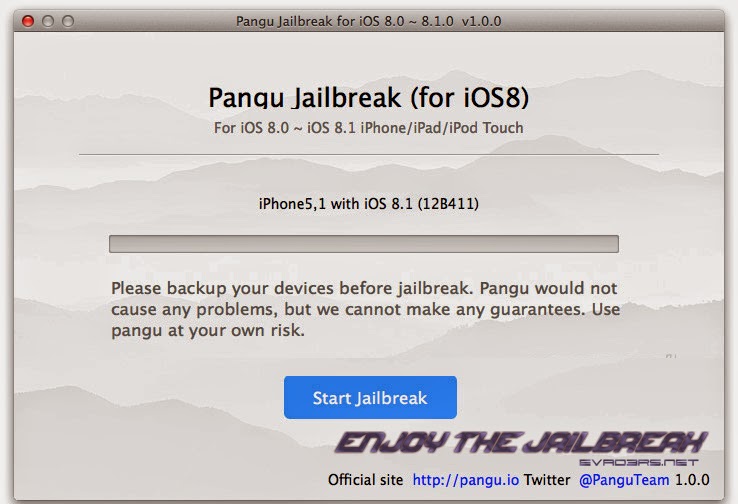
Jailbreak iOS 8.1 Mac Version available for download / install. Confirmed devices: iPhone 6 Plus, iPhone 6, iPhone 5S, iPhone 5, iPhone 4S / iPad Air 2, iPad Air, iPad 4, iPad 3, iPad 2, iPod Touch 5 gen. Pangu Jailbreak iOS 8.1 utility works perfect on Mac.

Hello world. Today we have very good news for mac owners. You can make Jailbreak iOS 8.1 via Pangu jailbreak utility on your Mac OS X. Yes. It’s very simple way for life with jailbroken iPhone, iPad, iPod Touch.

1) You must disable “Find iPhone». How: Go to “Settings” > “iCloud” > “Find iPhone” > Off;

2) You must enable “Airplane Mode”;

3) Connect your device to Mac;

4) You must make BackUp. How: Launch iTunes 12 version and make a backup; 

5) Download Pangu8 utility (last version) from here

6) Launch “Pangu8”

7) Click “Start Jailbreak”

8) Choosing “Already did”.

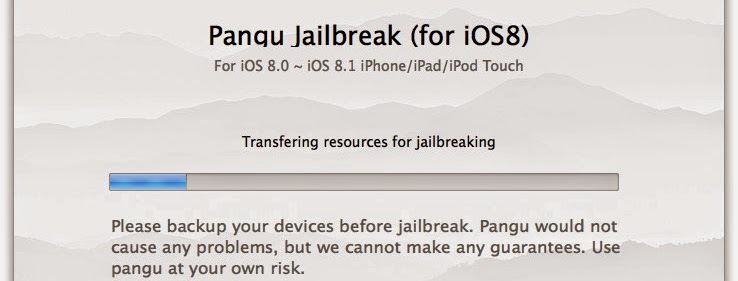
9) Wait….

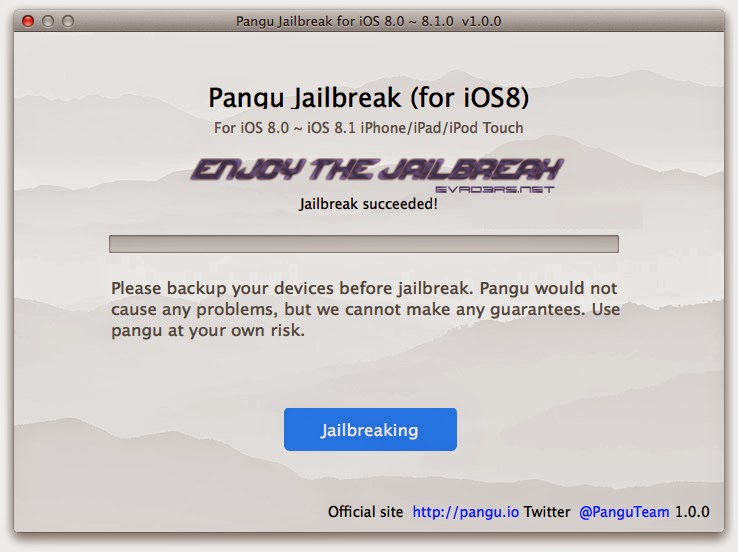
10) Done. You can reboot iPhone, iPad or iPod Touch. After that – you can see Cydia on your jailbroken device.

11) Don’t forget install new Cydia Tweaks and write your experiences here.

Share this post

Send this article to other Apple fans.

Previous Post

Jailbreak iOS 8.1 – 4 Reasons Why Today Is Going To Be The Best Day For Jailbreak Ever.

Next Post

Is TaiG Jailbreak 8.1.1 Safe For iPhone or iPad?

Discussion

0 Comments

Share your thoughts with other AppleBlog readers.

Leave a comment

Your email address will not be published. Required fields are marked with *.