Jailbreak iOS 8.1 – iOS 8 available for download. Only Click Install + 2 min. Are you ready for Jailbreak 8.1? It’s free utility from Pangu team for jb. After that, you can see Cydia iOS 8 (with AppSync iOS 8) on your iPhone, iPad or iPod Touch running on last Apple’s iOS. Anyone who want see new tweaks and features on smartphones must read this a full guide.
It’s very good news for all, who want install cydia tweaks on iOS 8.1.
It’s 100% free jailbreak iOS 8.1 for:
iPhone 6 Plus, iPhone 6, iPhone
5S, iPhone 5c, iPhone 5, iPhone 4S;
iPad Air 2, iPad Air , iPad 4, iPad 3,
iPad 2, iPad Mini 2, iPad Mini;
iPod Touch 5Gen.
!!! You MUST restore or update your iOS to iOS 8.1 via iTunes.
iOS 8.1 Download Links [Here]
Step 1: Turn Off Find My iPhone via: go to Settings > iCloud –> Find My iPhone
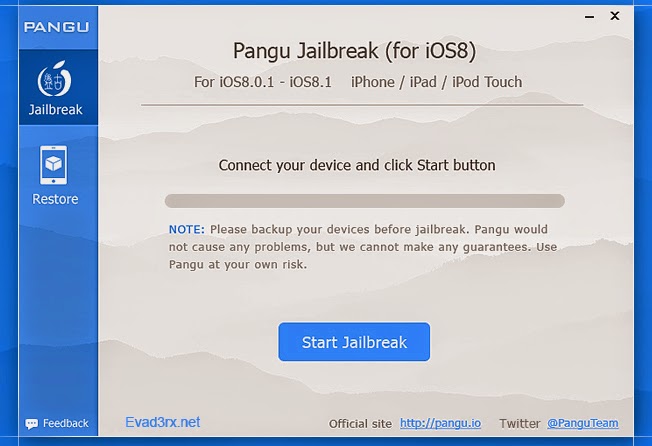
Step 2: Download Pangu Jailbreak Utility. [LINK]
Step 3: Connect yours device running on iOS 8.1 (8.0.2 and 8.0) in to your computer’s USB port
Step 4: Run downloaded Pangu8 file.
Step 5: Tap on the “Start Jailbreak” button. (checkbox must be unchecked)
Step 6: Jailbreak Utility will start. Wait. You can see Pangu app icon on the Home screen.
Step 8: Tap Pangu icon on Home Screen.
Wait.
Step 9: Done
0 Comments
Share your thoughts with other AppleBlog readers.