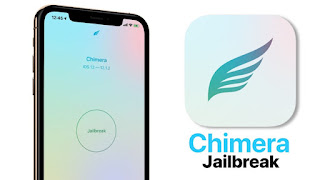
It is worth noting that Chimera jailbreak does not support Cydia or Cydia Substrate, but instead uses Sileo and Substitute to manage packages and configure the system. In addition, it is the first public tool for jailbreak to officially support A12(X) devices in full.
How To Jailbreak via Chimera. All iPhone, iPad Models
- Download Chimera from link below.
- Download the newest version of Cydia Impactor
- Open Cydia Impactor on your computer and then plug your device into your computer (Impactor should recognize the device).
- Unlock your device.
- Drag and drop the downloaded IPA from Chimera’s website.
- Cydia Impactor will prompt you to enter in your Apple ID and password. Enter the required information and press Enter.
- Impactor will start to load the app onto your device.
- Once done, you can unplug your device and open the newly installed Chimera app.
- If you get an error along the lines of “Unverified Developer” go to
Settings > General > Profile and Device Management. Select your
email address and tap Trust. You will now be able to open the app.
- Open the app and press “Jailbreak”. If the the app says
Installing Cydia, that means the exploit has succeeded and your device will reboot. If the device reboots before it says Installing Cydia, then the exploit has failed. Open the app again and keep trying until you see the spinning wheel.
- Once your device reboots for the first time, open the Chimera app and hit Enable Jailbreak.
- Once you get past
Please Wait (2/3) and see the spinning wheel, the exploits have succeeded. You are now jailbroken. Enjoy!
Almost all the breaks are available here. This means that after each reboot of the device you need to re-run the application for jailbreak, which reactivate jailbreaking and use the capabilities of Cydia. As long as you do not, your device will work in the usual way, as if no jailbreak before and did not exist.
How To Download Chimera for all iPhone, iPad Models
Chimera for iOS 12.4 iPhone, iPad [link]
Chimera for 12.1.3 – 12.3 iPhone, iPad [link]


0 Comments
Share your thoughts with other AppleBlog readers.