Skip to content
Apple Blog
CYDIA

Cydia Tweak iOS 6 iLex Rat – Remove All Tweaks From iPhone 5,4S (No Loss Jailbreak)

Published by AppleBloggerUX in CYDIA

CYDIA

iLEX RAT Cydia Tweak For iOS 6 is Removes all dependencies, tweaks and settings installed after jailbreak iOS 6.1! After running iLEX RAT iOS 6: Cydia will be

CYDIA 2013

Key details

iLEX RAT Cydia Tweak For iOS 6 is Removes all dependencies, tweaks and settings installed after jailbreak iOS 6.1! After running iLEX RAT iOS

Apple Blog 2013

About this post

Cydia Tweak iOS 6 iLex Rat – Remove All Tweaks From iPhone 5,4S (No Loss Jailbreak). iLEX RAT Cydia Tweak For iOS 6 is

Apple Blog 2013

Cydia Tweak iOS 6 iLex Rat – Remove All Tweaks From iPhone 5,4S (No Loss Jailbreak)

“iLEX RAT Cydia Tweak For iOS 6 is Removes all dependencies, tweaks and settings installed after jailbreak iOS 6.1! After running iLEX RAT iOS 6: Cydia will be as clean”

How To Remove All Tweaks From iPhone 5, 4S, 4 (No Loss Jailbreak)

1) Lauch “Cydia”

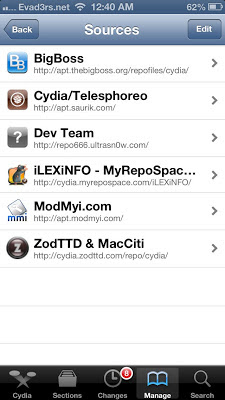
2) Go to “Manage” and “Sources”, Click “Edit” and “Add” new repo:

cydia.myrepospace.com/iLEXiNFO/ 

3) Back to Cydia Sources.

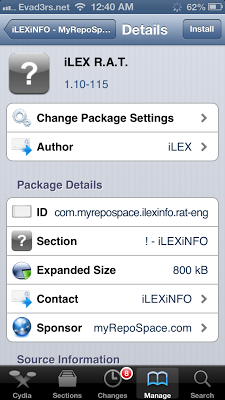
4) Select “iLex R.A.T” and “Install”

5) iLex R.A.T installed.

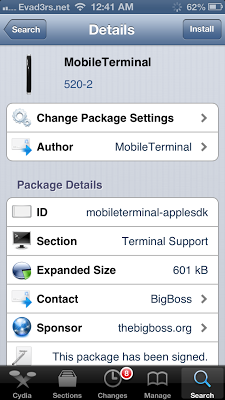
6) Go to “Cydia” -> “Search”–> type “MobileTerminal”

7) Install “MobileTerminal”. Done.

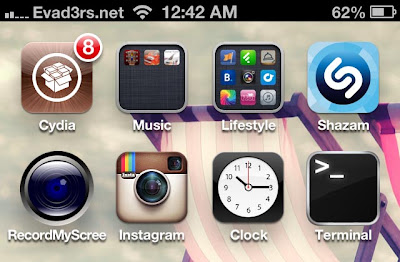
8) Lauch “MobileTerminal”

9) Type: rat + Enter

10) Type: 12 + Enter.

11) Wait…….

12) Reboot iPhone. Done.

13) You have new iPhone with clean Jailbreak. Cool. COnfirmed.

Share this post

Send this article to other Apple fans.

Previous Post

Iron Man 3 Box Office in China Breaks US$114 Million

Next Post

China Tourist Damages Historical Relic in Egypt