Developer: ideaprison
App: Icon Masks
Version: 0.97
iPhone + iPad + iPod Touch: free
Icon Masks iOS 7 – a new development for the iPhone and iPad jailbroken, allowing the software to implement the original modding using forms of custom icons on the home screen.
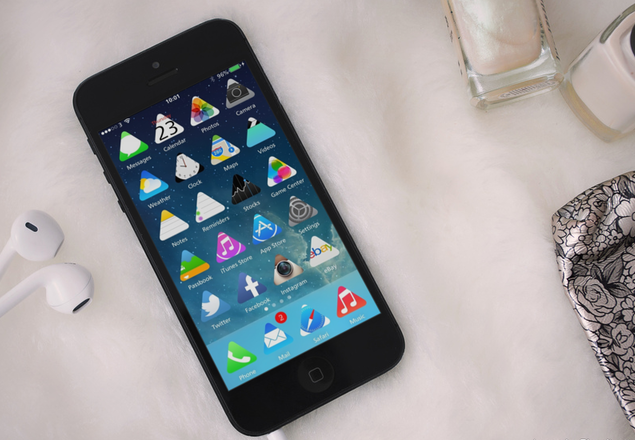
Icon Masks is a collection of themes for the package Winterboard. Together with the load on the device expansion appears several dozen masks for all sorts of icons and icons on springborde battery.
To install any of them, you need to open Winterboard, put a check mark next to the name of the theme and make a respring.
Icon Masks can be used in conjunction with other skins for iOS 7 that allows you to get a variety of new options for interface design iPhone and iPad. Some examples can be seen in the screenshots to the article.
If you want install Icon Masks on your iOS 7 supported device, you need make jailbreak iOS 7 and install Cydia Store. You can make Jailbreak iOS 7 with new Evasi0n7 from Evad3rs Team for free.
You can see detailed instructions.
0 Comments
Share your thoughts with other AppleBlog readers.