Skip to content
Apple Blog
Downloads

iOS 8 Download Links For iPhone, iPad, iPod

Published by AppleBloggerUX in Downloads

Do You Want iOS 8 Jailbreak?

Method  1.1) Select your device and click “Settings”2) Click “General”3) Click “Software Update”4) Download new iOS 8Method 2. (Recommended)1) Download iOS 8 firmware for

Downloads 2014

Downloads

 iOS 8 download links for all confirmed iOS 8 devices. Apple iOS 8 is new extraordinaire technology, features, usability. Best time for iOS 8 Download links - today!!!

Apple Blog 2014

Key details

 iOS 8 download links for all confirmed iOS 8 devices. Apple iOS 8 is new extraordinaire technology, features, usability. Best time for iOS 8

Apple Blog 2014

iOS 8 Download Links For iPhone, iPad, iPod

“* iOS 8 Compatibility List ”
 

iOS 8 download links for all confirmed iOS 8 devices. Apple iOS 8 is new extraordinaire technology, features, usability. Best time for iOS 8 Download links – today!!! You can download iOS 8 for fre now. The latest Apple’s iOS 7 has caused rough debate and the company Apple will release a really stable and modern iOS 8. iOS 8 – What is new? Features, Usability, Colors or all in one? Technology evolves and the company should not stand still. Competition from Samsung is pushing to move forward. 

* iOS 8 Jailbreak

* iOS 8 Battery Life

* iOS 8, What’s new!!!

Do You Want iOS 8 Jailbreak?

Method  1.

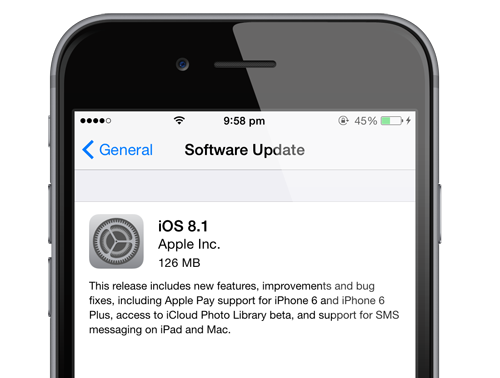
1) Select your device and click “Settings”

2) Click “General”

3) Click “Software Update”

4) Download new iOS 8

Method 2. (Recommended)

1) Download iOS 8 firmware for iPhone/iPad/iPod Touch.

2) Open iTunes and connect your iDevice via USB cable

3) Select your device from the left navigation panel on iTunes 11

4) Hold down the Shift (Windows) or Alt/Option (Mac) key and hit the restore button on iTunes

5) Browse and select the downloaded iOS 8 IPSW file. Let the restore process complete.

 Method 3.

1) Connect your iPhone/iPod Touch/iPad to your computer running iTunes 11 via USB cable

2) New firmware iOS 8 availability message will appear

3) Hit the “Download and Install” button.

4) It’ll download and install iOS 8 on your iDevice.

iOS 8.4.1 Download Links:

iOS 8.2 Download Links

iOS 8.1 Download Links

    _________________

    Share this post

    Send this article to other Apple fans.

    Previous Post

    iPhone 6 Jailbreak running on iOS 8.

    Next Post

    Jailbreak iOS 8 + Cydia Tweaks.