That’s where Books Pro comes in. And yes, I should mention that I’m involved in developing this app, so this isn’t an independent review. But I also use reading apps myself, and the reason Books Pro exists is simple. I wanted something that felt less like a digital bookstore and more like a personal library. An app where you open a book and start reading without having to think about everything surrounding it.
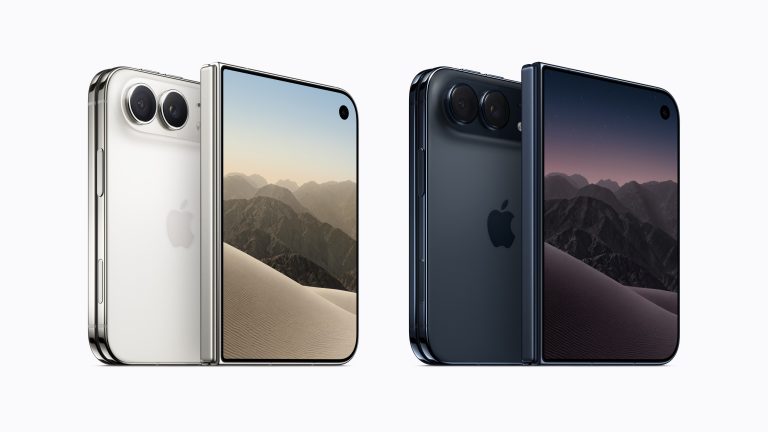
The difference becomes even more interesting on the iPad and the new iPhone Duo, where the shape and size of the display can completely change the reading experience.
Reading Comes First
A personal reading space built around your books rather than a storefront.
Your Own Collection
Keep your digital books together, personalize their covers and read offline.
iPhone Duo Ready
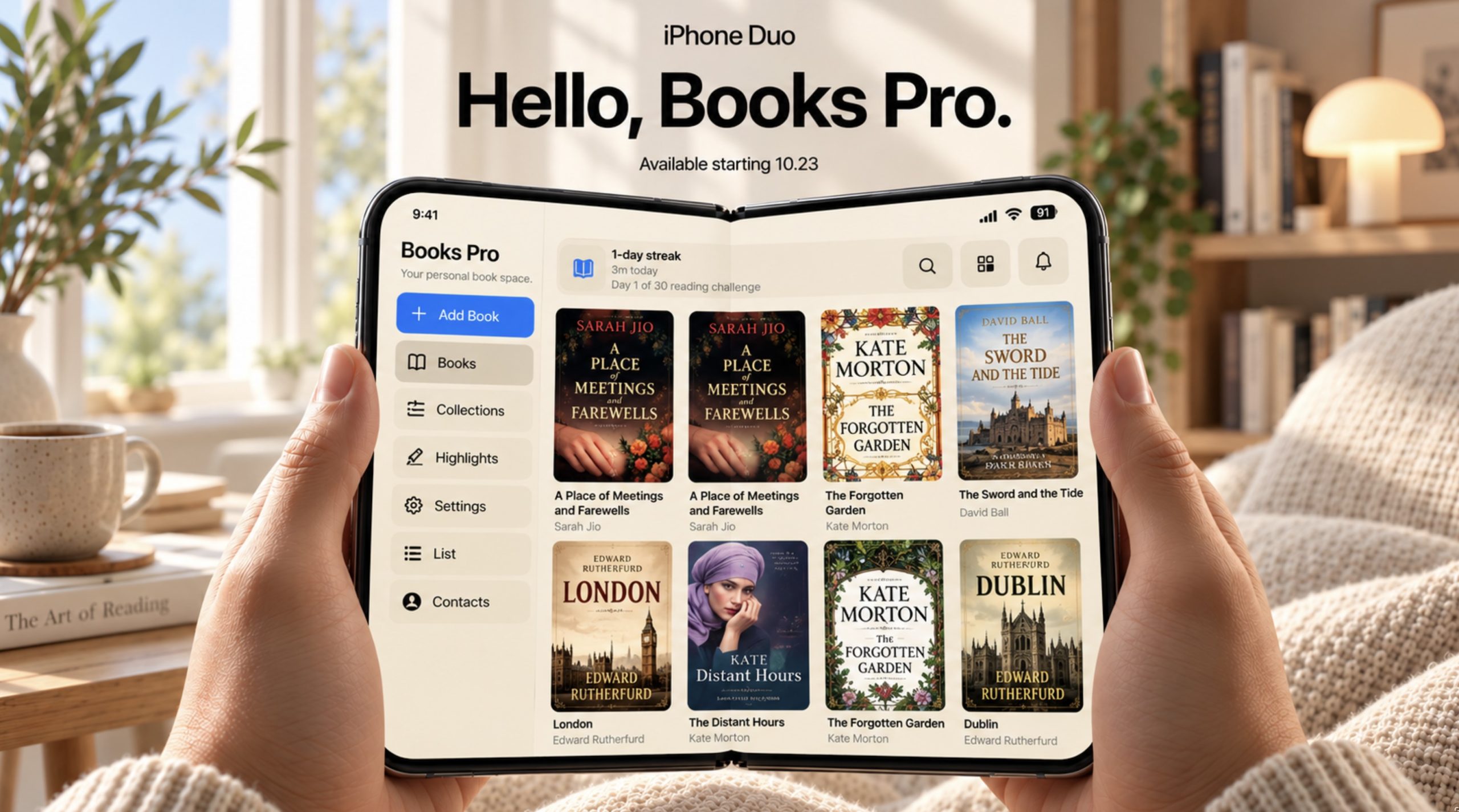
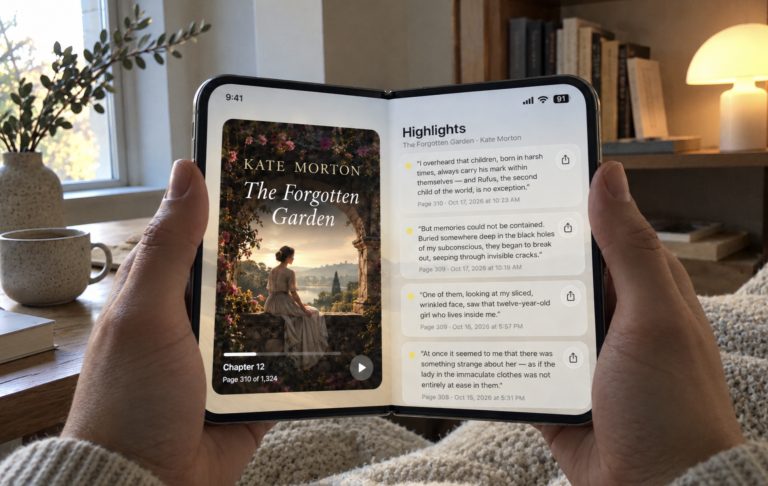
An interface adapted to make better use of the new iPhone Duo display.
Apple Books Is Good. But It Isn’t Perfect for Everyone.
Apple Books is a polished application, and I understand why so many people use it. It works well within Apple’s ecosystem, offers a large bookstore and provides a familiar reading experience. For someone who primarily purchases books through Apple, there’s little reason to look elsewhere.
But not everyone reads that way. Some of us have collected digital books for years. We download books from different sources, keep personal documents and prefer organizing our own libraries rather than browsing a bookstore every time we open a reading app.
That’s where my preferences begin to differ from Apple’s approach. I don’t need a reading application to recommend something new every time I open it. I don’t need a store to be part of the experience. Most of the time, I already know exactly what I want to read.
I simply want to open my library, choose a book and continue reading.
Books Pro feels more natural to me for that reason. It focuses on the collection itself, and the interface is designed around the act of reading rather than discovering something to buy. It’s a relatively small distinction on paper, but it becomes noticeable when you use an app every day.
Why Simplicity Matters More Than Features
One thing I’ve learned about reading apps is that more features don’t necessarily make them better. In fact, the opposite is often true. The more an application tries to do, the more time you spend interacting with the interface instead of reading.
When I open a book in the evening, I don’t want to explore menus or adjust a dozen settings. I want to return to the story. Ideally, the interface should become almost invisible after the first few seconds.
That’s the idea behind Books Pro. The design is deliberately restrained, with the library and reading experience taking priority over decorative elements. It doesn’t need to constantly remind you that you’re using an application.
I think that’s something Apple traditionally understands very well. The best Apple products often feel simple not because they lack functionality, but because the technology stays out of the way. Interestingly, I sometimes find that a smaller, more focused reading app can deliver that feeling better than Apple’s own Books application.
Reading on an iPhone Is Different From Reading on an iPad
I’ve never believed that one reading layout should work equally well on every screen. An iPhone and an iPad may run similar applications, but the way we use them is completely different.
On an iPhone, reading usually happens in small moments. You might read a few pages while waiting for someone, during a train journey or before falling asleep. The phone is always nearby, and that convenience matters more than having a large display.
The iPad is almost the opposite. It’s something you pick up when you actually have time to read. The larger screen makes long chapters, detailed documents and books with more complex formatting feel more comfortable.
Books Pro is intended to feel natural in both situations. On the iPhone, the experience remains compact and straightforward. On the iPad, the extra space gives the reading interface more room without changing the basic idea of how the application works.
And now there’s a third device that makes this distinction even more interesting.
The iPhone Duo Could Be One of the Most Interesting Devices for Reading
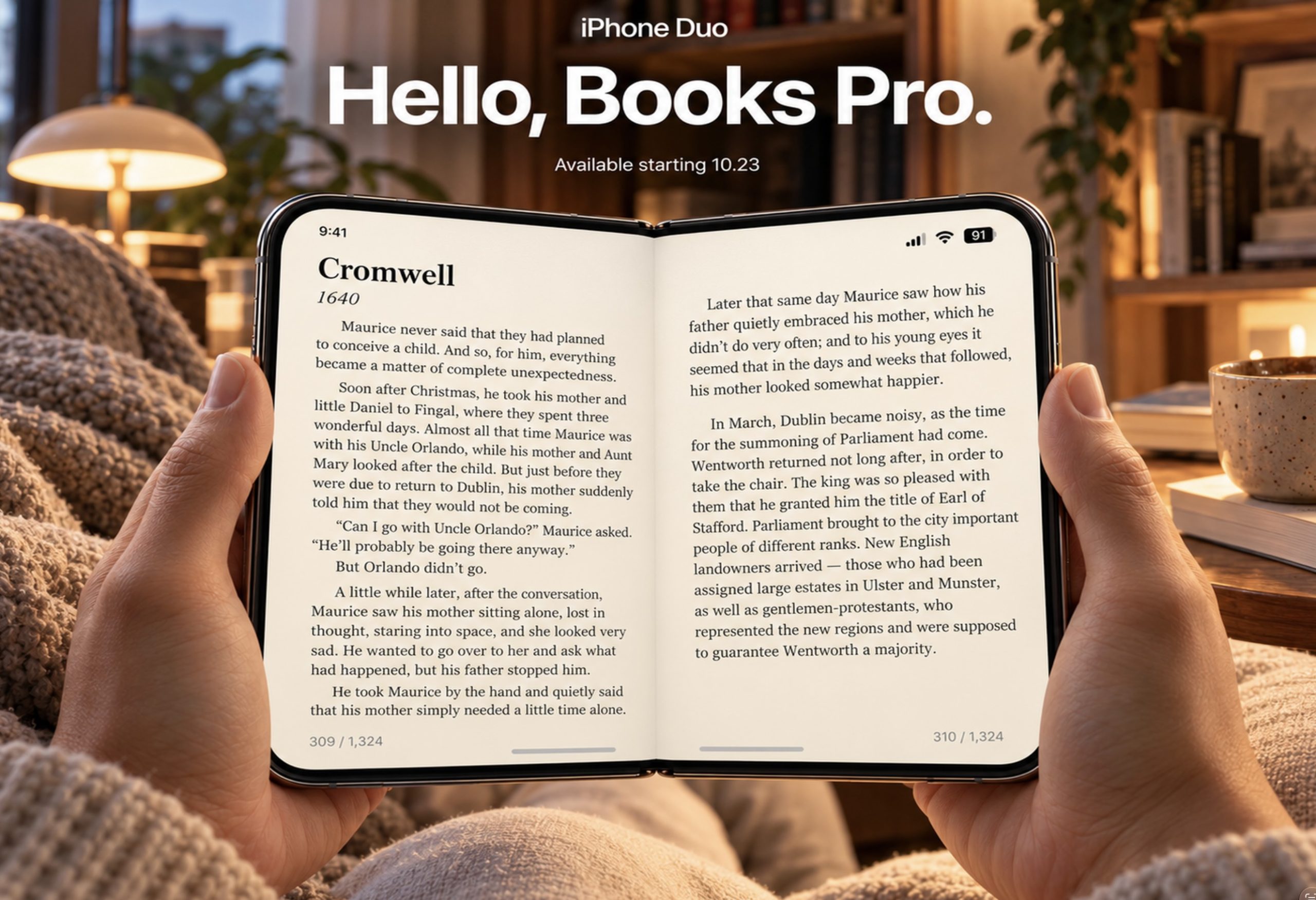
When I first started thinking about how Books Pro should work on the new iPhone Duo, I realized that a folding display makes particular sense for books. Not because reading requires complicated technology, but because the physical shape of a book is something we’ve understood for centuries.
A regular iPhone is convenient because it fits in your pocket. An iPad is comfortable because it gives text more room. The iPhone Duo brings those two ideas closer together.
When closed, it’s a phone you can carry everywhere. When opened, the additional display space creates a different environment for reading. The text has more room, the layout feels less constrained and the device begins to resemble a small digital book rather than a conventional smartphone.
Books Pro has been specifically adapted for the iPhone Duo, rather than simply treating the new display as a larger version of a regular iPhone screen. That distinction matters. A wider display should influence how the reading experience is presented, not just make every element bigger.
Of course, a folding screen doesn’t automatically make an application better. If the interface is poorly designed, extra space can actually make things feel awkward. But when the layout adapts naturally to the available screen, the result can be surprisingly comfortable.
For someone who reads regularly while traveling, the idea of carrying a phone that can also become a more spacious reading device is genuinely appealing. It doesn’t mean an iPad or a dedicated e-reader suddenly becomes unnecessary. But it does make the iPhone Duo a particularly interesting alternative.
Offline Reading Is Still One of the Most Important Features
We tend to forget how much modern software depends on the internet until we’re somewhere without it. Airports, airplanes, trains and remote places have a way of reminding us that not everything needs to be connected all the time.
Books are a perfect example. Once a book has been downloaded to your device, there should be no reason to require an internet connection just to read it.
Books Pro allows locally available books to be read offline. For me, this is essential. I want my library to be available on a long flight or during a trip without worrying about Wi-Fi or mobile data.
Apple Books also supports offline reading, so this isn’t something unique to Books Pro. It’s simply a feature I consider fundamental in any serious reading application. Reading should remain possible even when the rest of the digital world is temporarily unavailable.
There’s Something Personal About Book Covers
One of the newer features in Books Pro is the ability to add your own book covers. It may sound like a small cosmetic improvement, but I think it makes a real difference when you’re building a personal collection.
Books are not just filenames. We remember them by their covers, their colors and sometimes even by the particular edition we first encountered. A book that looks familiar on a digital shelf is easier to recognize and somehow feels more like part of your collection.
Sometimes an imported digital book has a poor-quality cover. Sometimes it has no cover at all. And sometimes you simply prefer the artwork from another edition. Being able to choose your own image makes the library feel more personal.
I wouldn’t call this a revolutionary feature. It doesn’t need to be. It’s one of those small details that quietly makes an application more pleasant to use.
Sharing a Sentence Instead of Another Screenshot
Another addition is the ability to share quotes from books as images. I particularly like this because reading often leaves us with individual sentences that stay in our minds long after we’ve finished a chapter.
Sometimes it’s a line that perfectly describes a feeling. Sometimes it’s a thought you disagree with. Sometimes it’s simply beautiful writing.
Instead of taking a screenshot, cropping it and trying to make it presentable, Books Pro lets you turn a quote into an image that can be shared more naturally.
It’s a small bridge between the private experience of reading and the occasional desire to share something meaningful with another person. And unlike the endless stream of content we see on social media, a good quote can sometimes make someone stop for a moment and think.
What Makes a Reading App Comfortable?
I think we often judge reading applications by the wrong things. We look at screenshots, compare feature lists and count supported options. But comfort is difficult to measure that way.
It’s about how quickly the app opens, how naturally you find your book, how little the interface interrupts you and whether the experience remains pleasant after an hour of reading.
It’s also about consistency. An application should feel familiar whether you’re holding an iPhone on the train, sitting with an iPad on the couch or opening an iPhone Duo during a flight.
That’s the direction I want Books Pro to follow. Not necessarily becoming the application with the most features, but becoming one that people enjoy returning to.
iPhone
Convenient reading whenever you have a few free minutes.
iPad
More room for longer reading sessions and a relaxed experience.
iPhone Duo
A reading layout adapted for the device’s expanded display.
Download now free: Books Pro App
Is Books Pro Better Than Apple Books?
For the way I read, yes. But I don’t think there’s one reading app that’s objectively better for everyone.
If you regularly purchase books from Apple’s bookstore and enjoy having everything connected to that ecosystem, Apple Books remains an excellent choice. It is polished, familiar and deeply integrated into Apple’s devices.
But if you already have your own digital library, prefer a simpler interface and want an application focused primarily on reading rather than shopping, Books Pro may feel more comfortable.
The new iPhone Duo adaptation also makes it particularly interesting for anyone planning to use a folding iPhone as a reading device. The difference isn’t simply about fitting an app onto a new screen. It’s about taking advantage of that screen in a way that makes sense for books.
And ultimately, that’s how I think reading software should be judged. Not by how many features appear in the App Store description, but by how naturally it fits into your life.
Try Books Pro and Decide for Yourself
I could spend another thousand words explaining why I prefer Books Pro, but reading is personal. What feels comfortable to one person may not be right for someone else.
If you already use Apple Books, there’s no reason to stop using it simply because another application exists. But if you’ve ever felt that Apple’s reading app is a little more complicated than it needs to be, or if you want a different home for your personal collection, Books Pro is worth exploring.
You can find it on the App Store here: Books Pro for iPhone and iPad.
And if you’re planning to use the new iPhone Duo, I’d be especially interested in hearing how you feel about reading on its larger display. I suspect folding phones may turn out to be more interesting for books than for many of the features manufacturers usually advertise.
What Do You Use to Read Books on Your iPhone?
I’m curious how many people still use Apple Books as their main reading application and how many have moved to alternatives. Do you keep your own collection of EPUB files, use a dedicated e-reader or simply read whatever is available on your phone?
And would a folding iPhone make you read more often, or do you think nothing can replace a proper Kindle or a physical book?
Let me know in the comments. I’m especially interested in what you find frustrating about current reading apps, because sometimes the best improvements are not new features at all. They’re the small things that should have worked better from the beginning.
FAQ
Is Books Pro an alternative to Apple Books?
Yes. Books Pro is a reading application focused on personal digital book collections, offline reading and a straightforward interface. It offers a different approach from Apple’s bookstore-centered experience.
Does Books Pro work on iPhone and iPad?
Yes. Books Pro is designed for iPhone and iPad, with a reading experience adapted to their different display sizes.
Is Books Pro adapted for the iPhone Duo?
Yes. The latest update includes an interface adaptation for the new iPhone Duo, making better use of its expanded display.
Can I read books offline in Books Pro?
Yes. Books that are already available locally in the app can be read without Wi-Fi or a mobile data connection.
Can I add my own book covers?
Yes. Books Pro includes the ability to personalize your library with custom book covers.
Can I share quotes from books?
Yes. Books Pro can turn selected book quotes into shareable images.
Is Books Pro better than Apple Books?
That depends on your reading habits. Apple Books is convenient for buying and reading books within Apple’s ecosystem. Books Pro may be a better fit if you prefer managing a personal collection with a simpler, reading-focused interface.


0 Comments
Share your thoughts with other AppleBlog readers.