Most people use the task manager only to close hung applications, so in this manual we will tell you how to do it on Mac OS, because Other functions of the Task Manager of Windows in Mac are hidden in different places, or to be more precise, in the System Monitoring.
In the Apple ecosystem, there is no task manager as such, but there is its simplified counterpart — Force Quit Applications, which, as you might guess, allows you to close hung programs and processes.
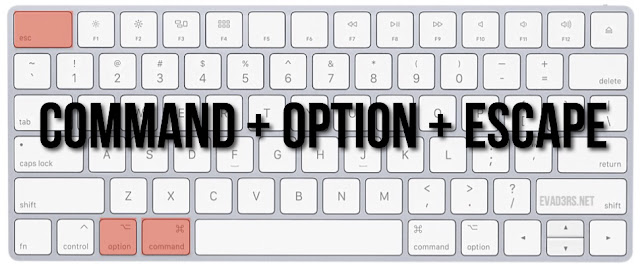
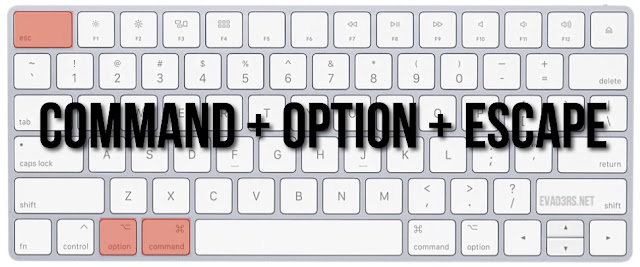
In order to open the program completion window, use the analog Ctrl + Alt + Del on Mac, and specifically the following shortcut. It’s task manager mac:
cmd+alt+esc
As a result, you will see a window of currently running programs that can be completed or restarted:
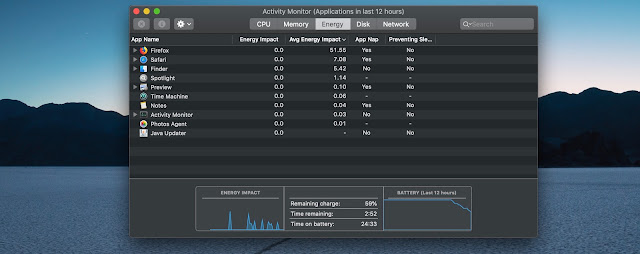
If you use the Task Manager Mac not only to close hung programs and applications, but also to keep track of running processes, analyze memory consumption or CPU load, then the option is not for you, and you need Activity Monitor for Mac OS:
Go to Spotlight Search + write “Activity Monitor”
This program is present by default in any version of Mac OS and allows
you to track many of the system parameters, such as: CPU usage, memory
consumption and used swap, processes that consume electricity, hard disk
usage and network usage.







0 Comments
Share your thoughts with other AppleBlog readers.