Skip to content
Apple Blog
iOS

How To Get iOS 14 Beta Developer Profile For Free Now.

Published by AppleBloggerUX in iOS

How To Get iOS 14 Beta Developer

Step 1: Go to our special post;Step 2: Download and Install the profile on your device;Step 3: Go to “Settings” — “General” — ”

iOS 2020
iOS

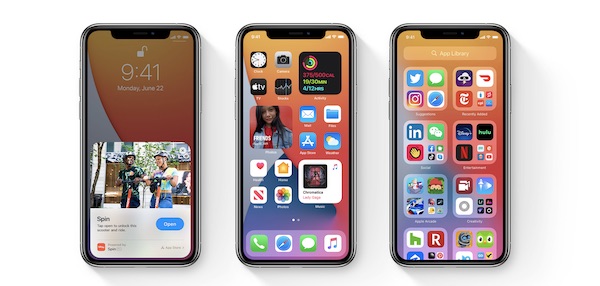
Apple held a presentation during which it introduced iOS 14. As expected, the update received a significant number of innovations-from a completely new Home screen with widgets to

Apple Blog 2020

Key details

Apple held a presentation during which it introduced iOS 14. As expected, the update received a significant number of innovations-from a completely new Home

Apple Blog 2020

How To Get iOS 14 Beta Developer Profile For Free Now.

“Apple held a presentation during which it introduced iOS 14. As expected, the update received a significant number of innovations-from a completely new Home screen with widgets to the Safari”


Before you find out, we would like to remind you that this update is intended only for software developers and testers. For everyone else, the iOS 14 public beta will be available in July, and all participants in the public beta testing program will be able to install it.

How To Get iOS 14 Beta Developer Profile For Free Now:

Step 1: Go to our special post;

Step 2: Download and Install the profile on your device;

Step 3: Go to “Settings” — “General” — ” Software Update»;

Step 4: You will see that iOS 14 is available for download;

Ste 5: Done.

!!! For our part, we would not recommend installing iOS 14 beta 1, since it probably does not yet have a more or less high level of stability. Many users may want to roll back due to software compatibility issues. According to our feelings, the final beta builds are best suited for installation, starting with the fifth one, in which there are almost no bugs and flaws that prevent the stable operation of the OS.

Share this post

Send this article to other Apple fans.

Previous Post

What to do if Mac is not charging after updating your macOS 11

Next Post

Microsoft Office for Mac 2020 – How To Install Office for Mac For Free?

Discussion

0 Comments

Share your thoughts with other AppleBlog readers.

Leave a comment

Your email address will not be published. Required fields are marked with *.