How To
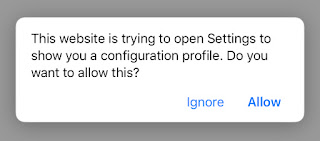
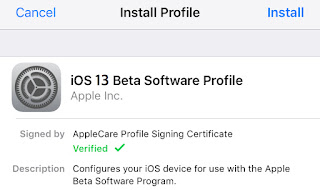
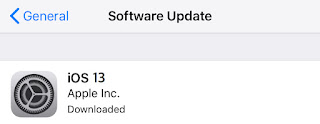
Here you can read comlete guide how to install iOS 13 on iPhone and iPad, make sure that your iPhone or iPad data is saved. You have two
Here you can read comlete guide how to install iOS 13 on iPhone and iPad, make sure that your iPhone or iPad data is
How To Install iOS 13 on iPhone, iPad. Here you can read comlete guide how to install iOS 13 on iPhone and iPad, make


P.S. If you decide to use the iTunes method, you must install the latest version of iTunes. Then connect your iPhone or iPad to your computer and select your iOS device. In the “Summary” section, select “Check for update then“ Download and update. Wait until the update procedure is complete. Do not disconnect the iPhone until the iOS update is complete.
Read more about iOS 13 supported devices
Sometimes, instead of upgrading to iOS 13, you are stuck with an unsuccessful update or with an old version and a damaged backup. Even if the update goes wrong, we recommend trying again. If during the installation you have errors, we strongly recommend that you read this post.
It’s simple guide how to install iOS 13 on iPhone, iPad. Now you can use new iOS 13 on iPhone and iPad.
0 Comments
Share your thoughts with other AppleBlog readers.